Why Prototypes Fail in the Real World: 5 Steps to Make Your MVP Truly Launch-Ready, Not Just Demo-Ready
Why prototypes break with real users, and five engineering steps to make your MVP launch-ready: database indexing, sessions, edge cases, payment webhooks and backups.
Many founders build a clickable prototype, a Figma mockup or a hackathon version of their software to test an idea. These early builds work well in a pitch. But when real customers try to use them, the system often breaks. To ship a launch-ready MVP, you need to close the gap between a product that looks good in a demo and an application that can handle real users.
A prototype focuses on the visual interface. A production application needs stable architecture behind it. This guide explains why prototypes fail in the real world and gives you five engineering steps to move from prototype to production.
Why prototypes fail in the real world
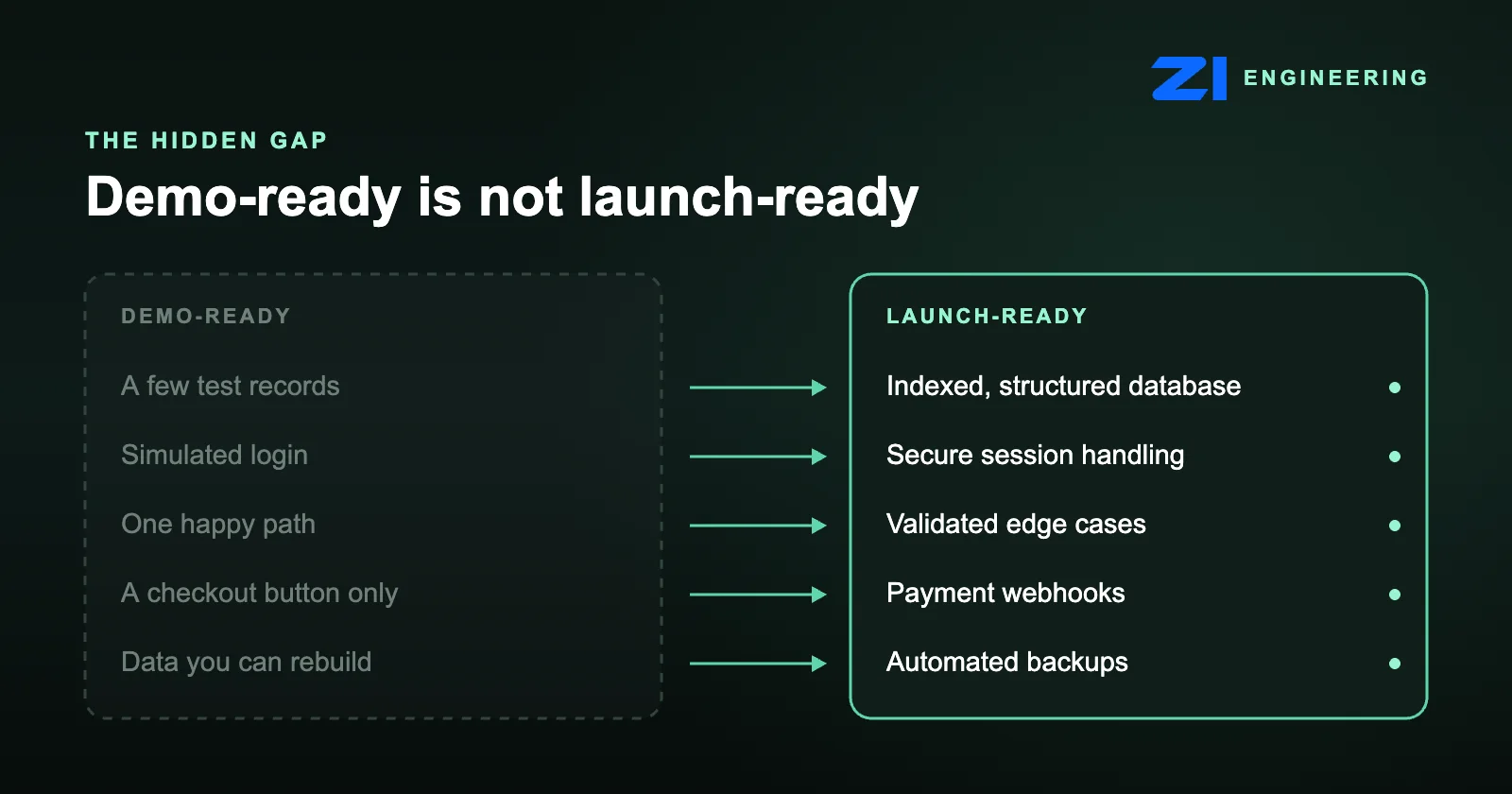
A prototype is built to be shown, not used. It usually has a handful of test records, a simulated login and one path that works if you click the right buttons in the right order. Real users do not behave that way. They arrive in bursts, use different devices, make mistakes and expect their data to be safe.
The hidden problems sit below the screen: how the database is structured, how logins are handled, what happens when input is wrong, how payments are confirmed and whether anything can be recovered after a failure. If you are weighing how much to build first, our guide to MVP development budgets for startups and our feature cutting playbook can help you decide what a first release really needs.
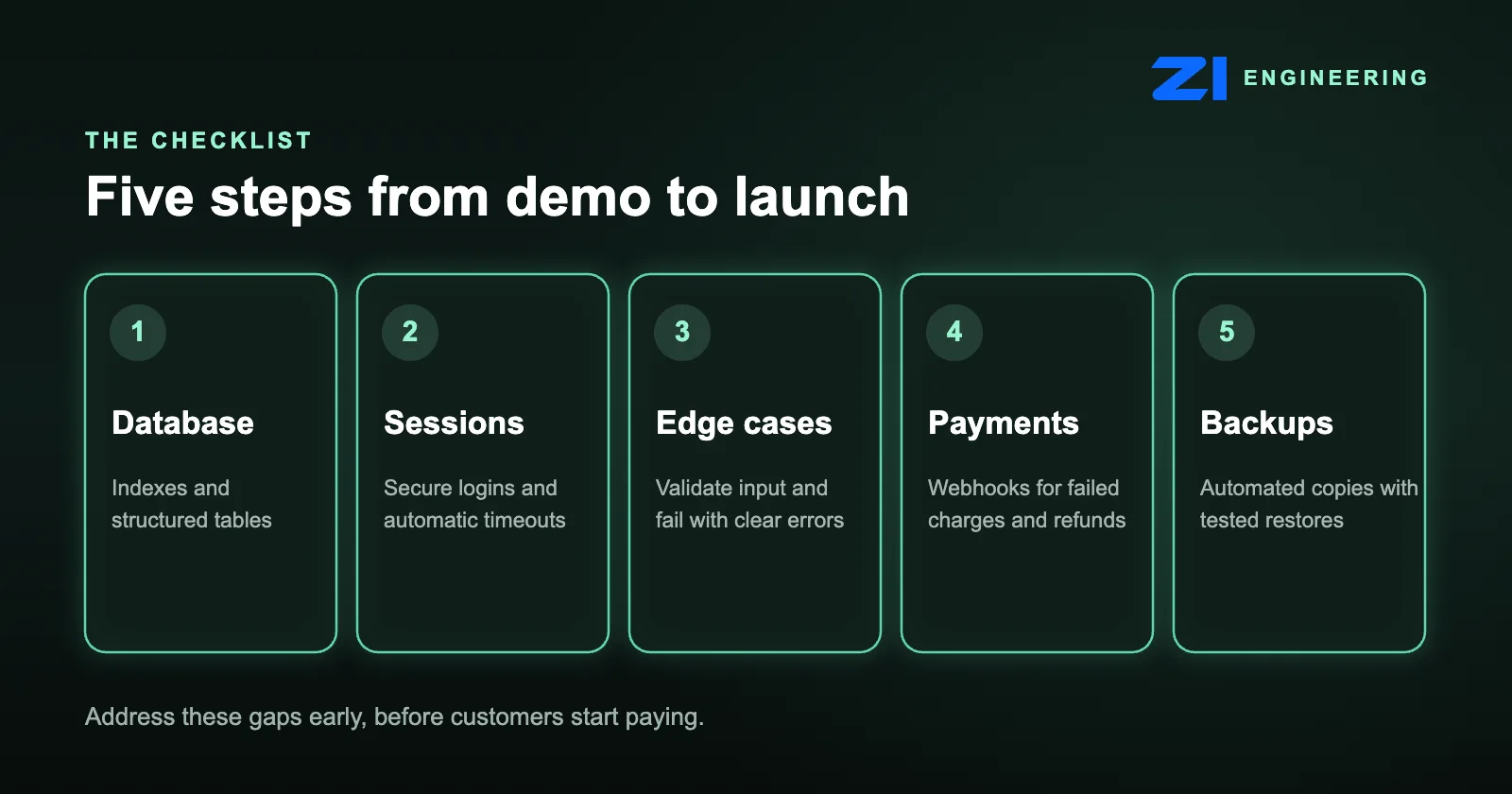
5 steps to a launch-ready MVP
1. Structure the database for growth
A prototype manages a few pieces of test data, and any system can search ten records quickly. A production application must find information instantly when thousands of people are active at the same time. That needs proper database indexing on the fields you search and filter by, and well-structured tables with clear relationships, so the software does not slow down as your business grows.
2. Secure user session handling
In a demo, logging in is often a simulated step. A launch-ready product handles real authentication securely. It should support password resets, keep people signed in across devices, and end sessions automatically to protect against unauthorised access. The OWASP session management guide is a good reference for what to cover.
3. Validate the edge cases
A prototype assumes the user clicks the correct buttons in the exact right order. Real users upload the wrong file format, skip required fields or lose their internet connection halfway through a form. The software must expect this, validate the data and show helpful error messages instead of crashing. Our post on usability testing before launch shows a low-cost way to find these problems early.
4. Process payments reliably with webhooks
If your application takes payments, a simple checkout button is not enough. You need payment webhooks: background messages from your payment provider, such as Stripe webhooks, that tell your system what actually happened. Webhooks let your software handle failed card charges, subscription cancellations and delayed bank transfers automatically, without your team entering data by hand. They should also be safe to receive twice, so a repeated message never creates a duplicate order.
5. Automate data backups
A test environment can be deleted and rebuilt in minutes. A production environment holds real customer data that needs protection from day one. Automated backups let you restore the system quickly if a server fails or someone deletes data by accident. A backup only counts if you have tested that it restores, so schedule restore checks too.
A practical example: a staff scheduling app
Consider a startup building a staff scheduling application. The mockup shows a flawless calendar, and the prototype lets the founder click a button to assign a shift. It looks ready.
Then a manager invites fifty employees to try it. If two employees claim the same open shift in the same second, the prototype may assign it to both of them. A launch-ready application uses strict database rules and transactions to prevent this double-booking, so the data stays accurate under pressure. That one fix touches steps 1, 3 and 5 at once: the database design, the edge case handling and the safety net if something goes wrong.
Prototype vs launch-ready MVP: a quick checklist
- Does the database have indexes and structured tables that can handle many active users?
- Can people reset passwords, stay signed in across devices and be signed out safely?
- Does the app validate input and give clear errors when something goes wrong?
- Do payment webhooks handle failed charges, cancellations and delayed transfers?
- Are backups automated, and have you tested a restore?
How ZI Engineering builds launch-ready products
At ZI Engineering, we focus on launch-ready products, not just demo-ready ones. We provide affordable MVP development with quality assured engineering, so the technology underneath is as strong as the design on top. When we take on a project, we look past the visual design and check the architecture, the data and the payment flow before launch.
We recommend starting with a manageable set of core features, so each one can be engineered properly. If you are still choosing your foundations, read our MVP tech stack selection scorecard, and see what investors want to see in your MVP before you raise.
Final thoughts
Moving from a prototype to a public launch takes a shift from visual design to technical stability. Closing these gaps early stops your product from failing just as customers start paying.
Have an early prototype that needs to become a production application? Let’s review what is needed to make it launch-ready.